
See what is working
Visitors, what they look at, what they buy, and where they came from.
The Visitors & sales tab answers the questions worth asking: is anyone visiting, are visits turning into orders, and which items people actually look at. The first row picks the period for the whole page: Today, Weekly (the last 7 days), Monthly (the last 30 days) or Custom (any dates, up to a year). The row under it is Sales, Profit, Products, Customers and Visitors.
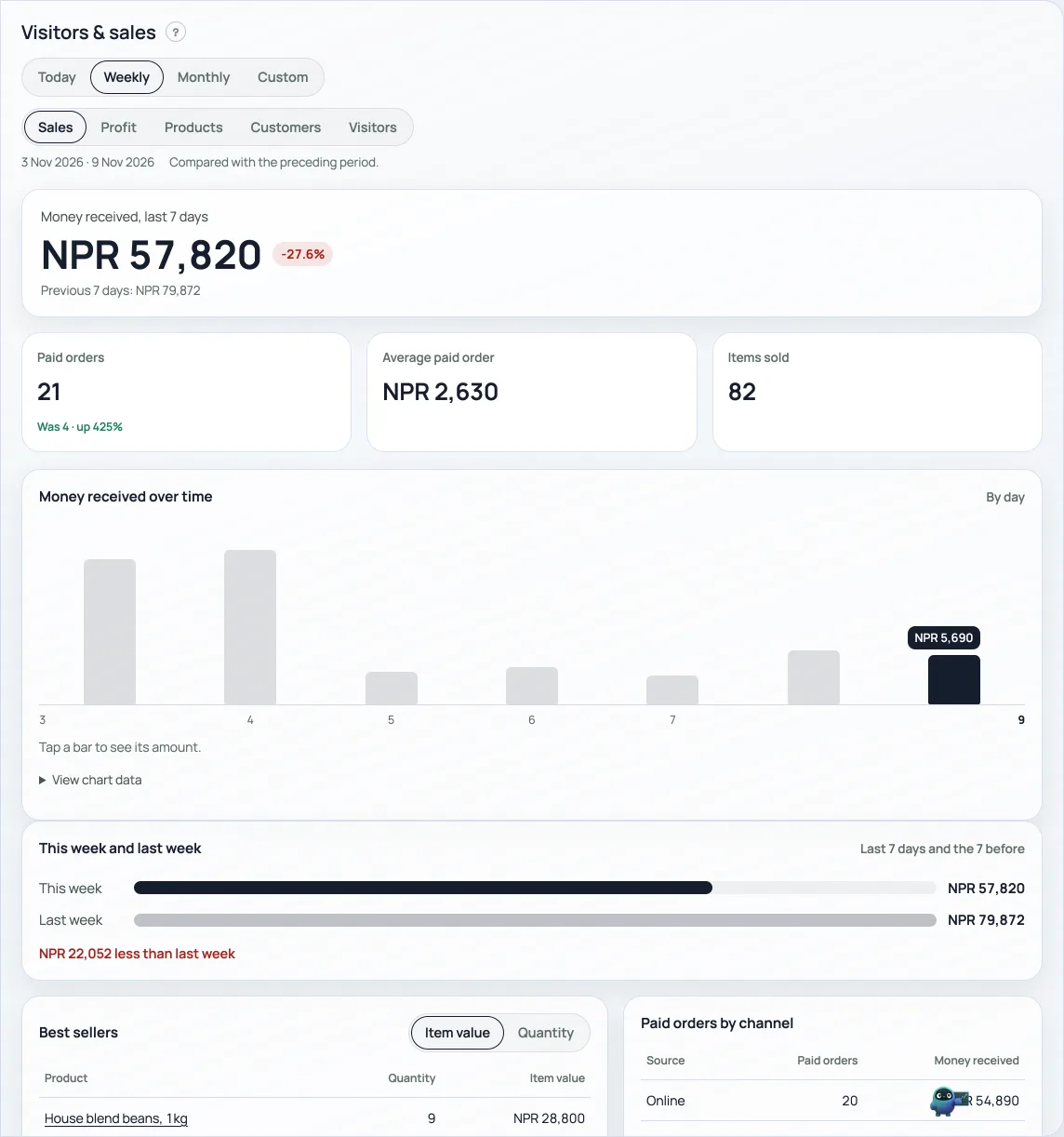
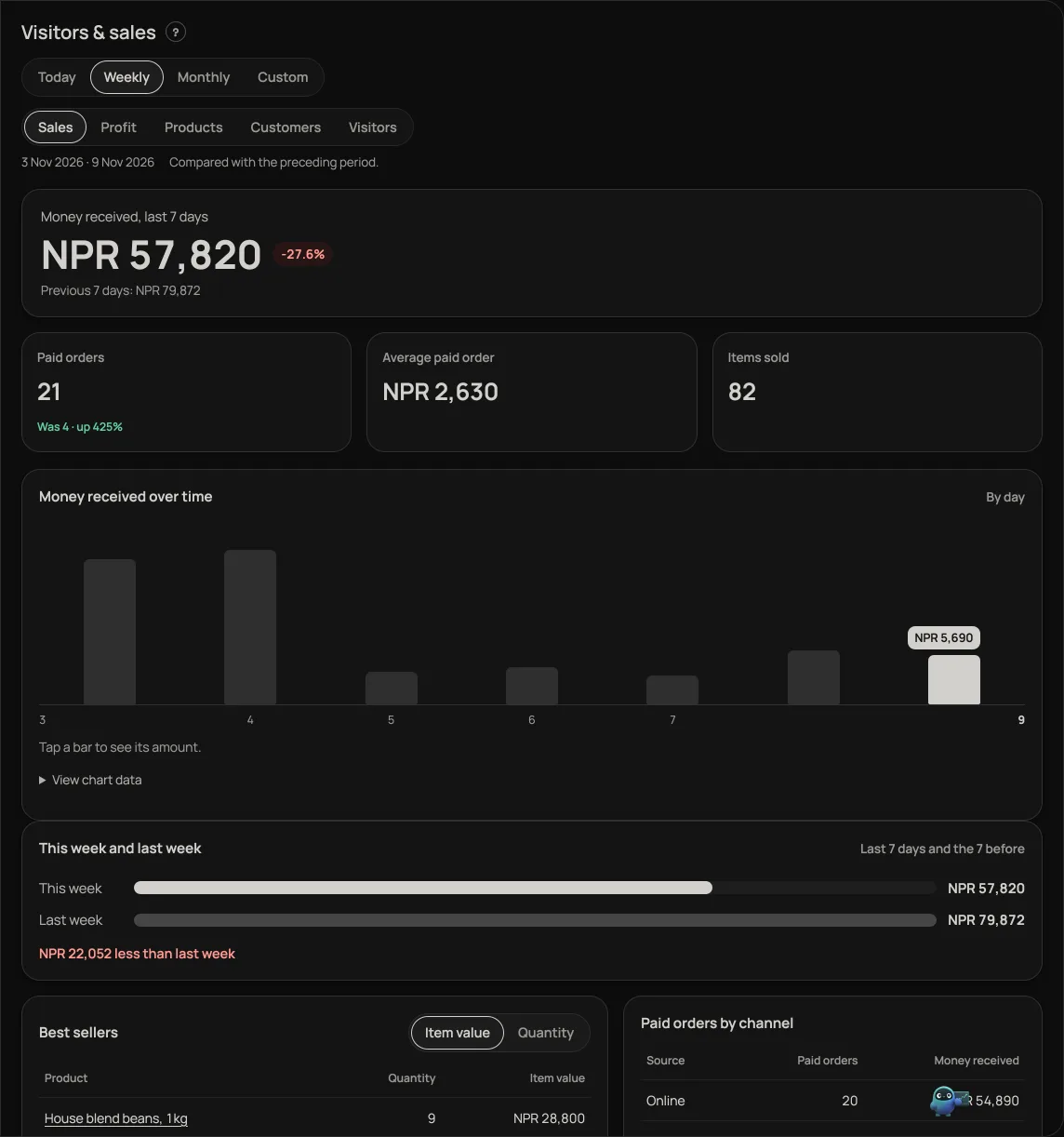
- The money for the period in large figures, with a small badge such as +12.4% against the same length of time just before: green when up, red when down. A bar for each day (each hour on Today) shows the shape, with today's bar dark; tap a bar to see its exact amount above it.
- This week and last week as two bars, with how much more or less this week took. It always compares the last 7 days with the 7 before, whichever period is chosen above.
- Products ranks what sold: Top selling, Best revenue and Low performing, which puts the products that sold least, or not at all, first. Each row has its photo, units sold, amount and a small badge against the period before. Pick a category to narrow the list; press the category's chip to remove it.
- Visits, visitors and product views for the period, with a daily chart, so you can see what a post or a busy weekend did. A free shop gets Weekly. Visits are counted back from today, so a Custom period that ends before today shows sales but not visits.
- Against the window before. Visits, orders, revenue, profit, discounts and money handed back each name what the same length of time just before did, the amount and whether it is up or down. Visitors, views and add-to-cart do not, because those count distinct people and subtracting would miss anyone who came in both halves. Visits are not compared for periods over half a year.
- Add to cart and orders, plus the conversion between them. Plenty of views and few orders usually means a price, a photo or a delivery rule is putting people off.
- Where visitors came from by source (Instagram, WhatsApp, direct), so you know which channel is worth your time.
- Most-viewed items, which is often not what sells the most.
Events shops also get a ticket board: tickets sold, money earned, how many were checked in at the door, and a per-event breakdown. Comp tickets are counted apart, so giveaways never flatter your earnings.
These counts are Retriever's own and privacy-safe. They use no third-party tracker, no cookie banner, and no personal data: a visit is a random token in the browser, and referrers are stored as a host name only, never a full address.
A shop on its own domain can also add its own Google, Meta or Microsoft ad tags in Marketing → Ads and analytics. Those are separate from these counts: they load only after a shopper presses Allow, and what they collect goes to those companies, not into this tab. See Your own ad tags: Google, Meta and Microsoft.
Separately, Retriever uses PostHog on retriever.com.np and in your dashboard to see how Retriever itself is used. Your shop page does not load it and sets no cookie for it: when an order is placed there, Retriever sends PostHog one count with the order's number, total, number of items and whether it is for delivery, and nothing about the customer. None of it shows in this tab. Details are in the Privacy Policy.
- Your own ad tags: Google, Meta and MicrosoftOn your own domain, add your Google Analytics, Google Ads, Meta Pixel or Microsoft Advertising IDs. They load only after a shopper presses Allow.
- Know your customers: history and pointsSearch anyone who has ordered, open every past invoice, and see the points they have built.
- Where customer replies landChoose the address a customer reaches when they reply to your order or booking email.